Quick start
Learn Run Inspection in minutes
Download the guide or follow the steps below. A video walkthrough can be added here later.
Step by step
Step 1
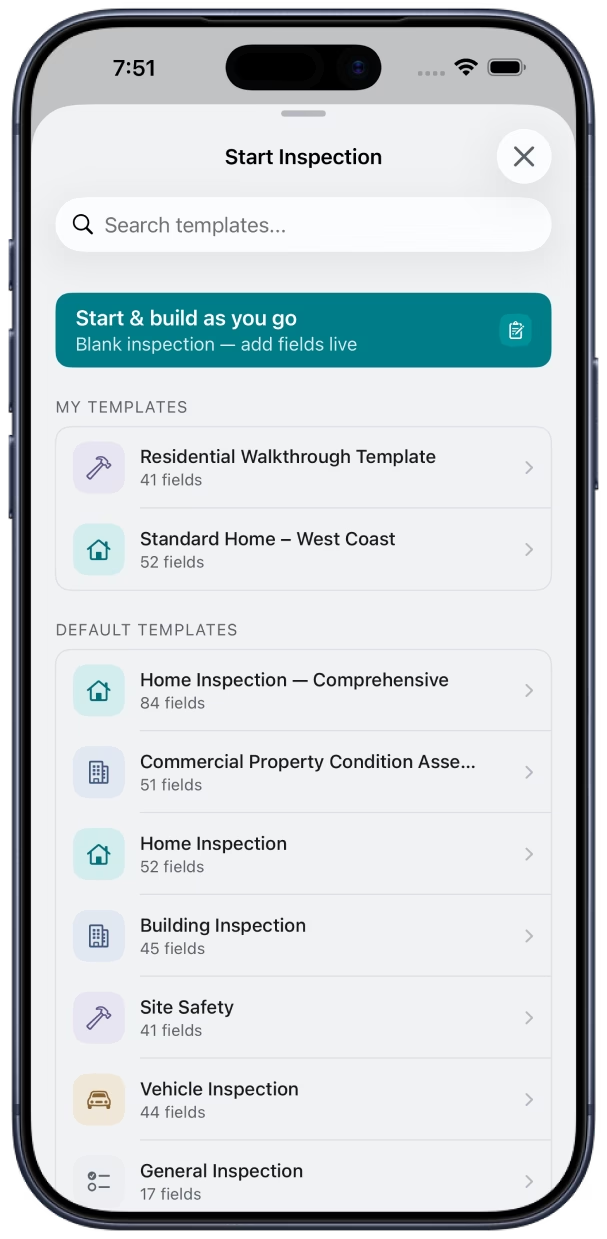
Create an inspection
Pick a template or start from scratch, then add a client and location.
Step 2
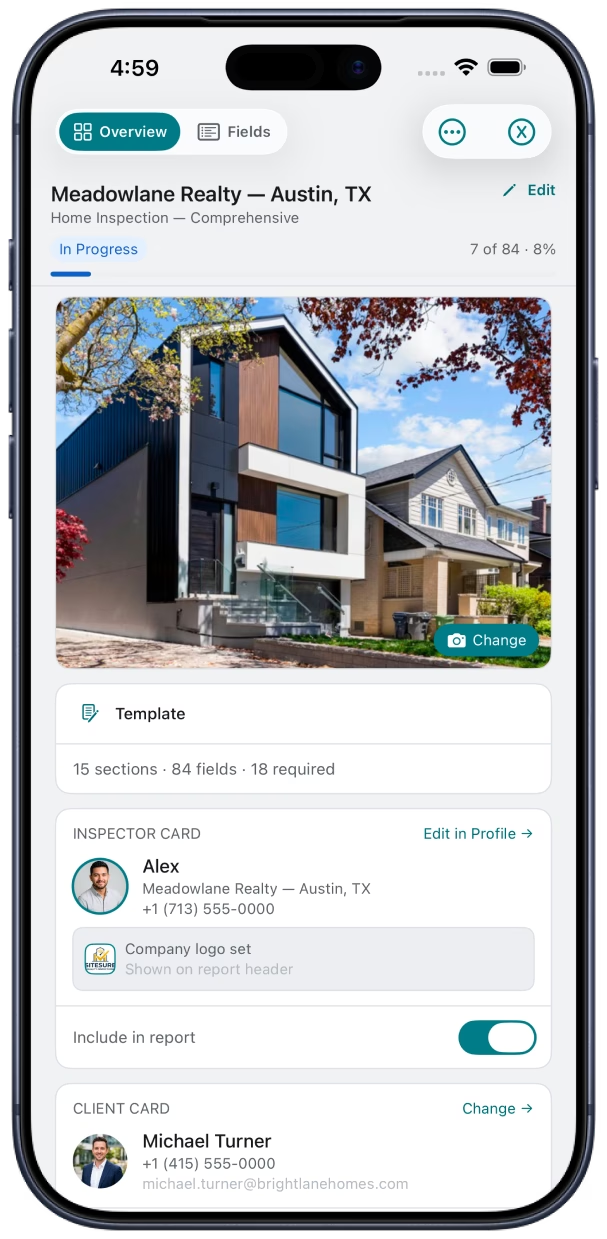
Fill fields and add photos
Complete structured fields on-site. Attach photos and notes where they belong.
Step 3
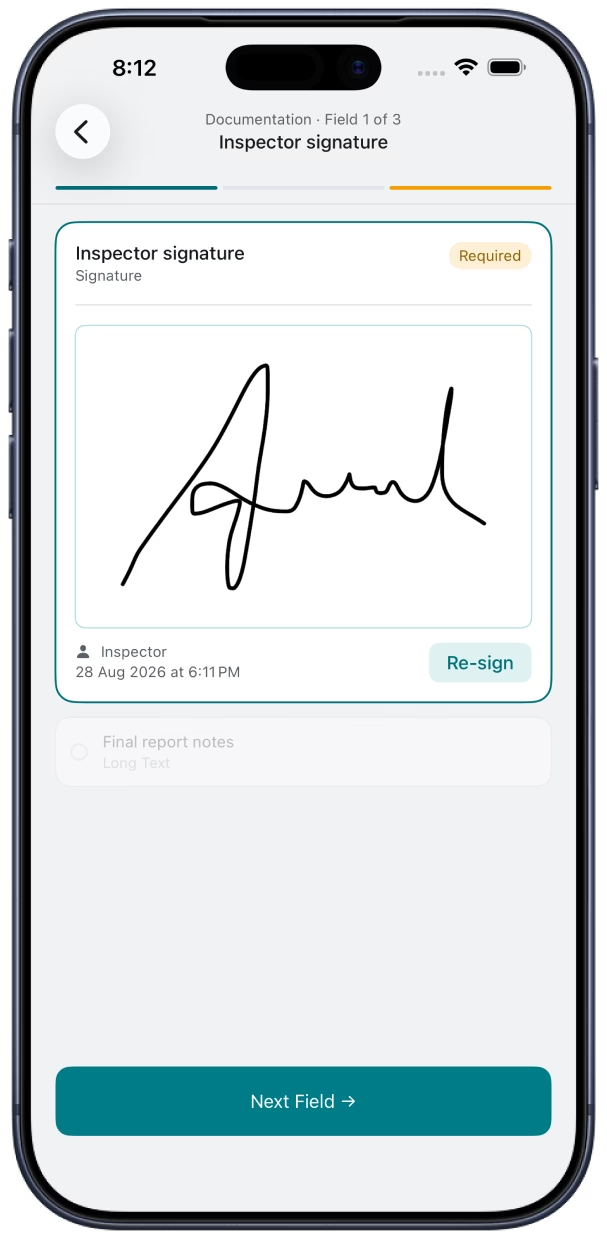
Sign off on-site
Capture client and inspector signatures without printing paperwork.
Step 4
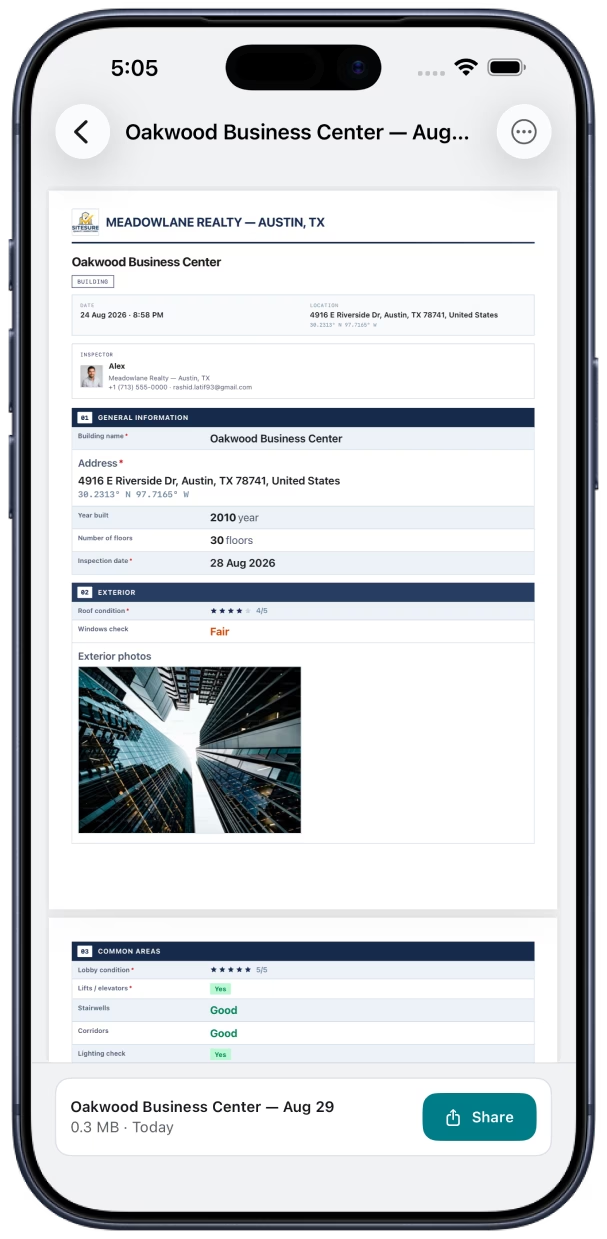
Generate your PDF report
Choose a report design, add your branding, and export a polished PDF.